Nanit Sound and Light
- 3.4
- Rating
- 10.00K
- Installs
- Free
- Price

 Analysis by App-foxy
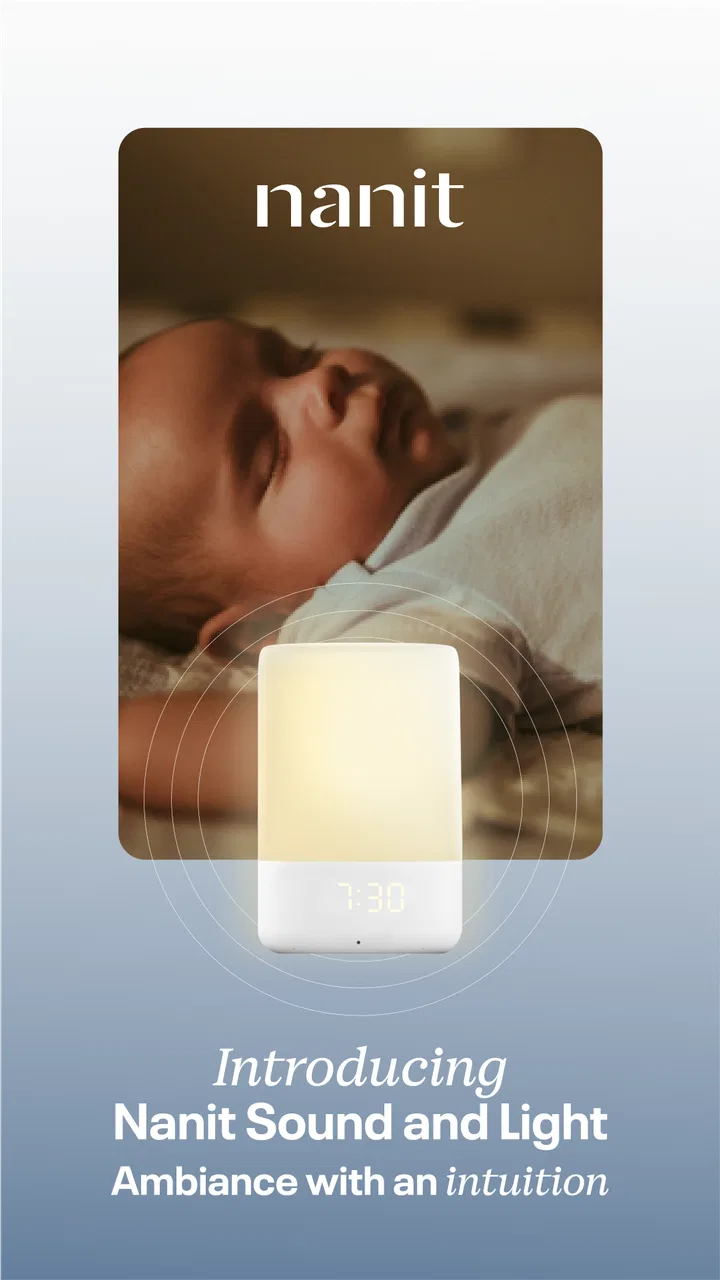
Bedtime often fails for surprisingly small reasons: a room feels too quiet after a story, a sudden noise interrupts the first few minutes of sleep, or a parent has to walk back in just to switch off a lamp. Nanit Sound and Light is built for that narrow but useful part of the routine. Developed by Nanit, this free parenting app turns a compatible phone or tablet into a control point for sound-machine and night-light functions.
I approached it less like an entertainment app and more like a bedtime tool. That distinction matters. It is not trying to replace a full baby monitor, a nursery camera, or a complete sleep-tracking system. Its value is in making the final transition from awake to settled more consistent. When used with the right expectations, it can remove a little friction from a routine that parents repeat every evening.
The app is available to everyone under its age rating, and its Android listing shows over ten thousand installs. Nanit currently distributes version 1.10.0, with Android 10 or later required. Those details make it most relevant to families using a reasonably recent Android device, especially if that device is already part of the household’s bedtime setup.
You May Also Like

 Blood Strike: 2.5 Anniversary
Blood Strike’s Loadouts Turn Every Drop Into a Tactical Gamble
A close look at Blood Strike’s custom loadouts: how fast access to signature weapons reshapes its battle royale rhythm, rewards preparation, and narrows the gap between fights.

 Pandora - Music & Podcasts
Pandora’s Music Is Easy to Start, but Harder to Recover
Pandora’s strength is its low-effort path from a seed to a station. Its weak spot is how much confidence it asks you to place in connection, setup, and quiet recovery.

 8 Ball Pool
 Is Built on Rivalries, Rematches, and Routine
A close look at the rivalries, rematches, shared routines, and unanswered safety questions that turn a quick pool match into a persistent mobile community.

 Samsung Music
’s Quiet Strength Is Playing What You Already Own
Its reach comes less from spectacle than from dependable access to a personal library. That simplicity is both the app’s strongest retention engine and its ceiling.

 AccuWeather: Weather Radar
AccuWeather Review: A Quick, Clear Forecast for Everyday Decisions
For everyday plans, the best forecast is the one you can understand quickly. AccuWeather makes rain timing, radar, and local conditions easy to act on, with a few trade-offs.

 Hill Climb Racing
Why Hill Climb Racing Still Turns Crashes Into One More Run
A tiny car, a bumpy hill and one more upgrade: Hill Climb Racing keeps resurfacing because its simple chaos makes every near-miss feel personal.
More From Our News Desk
View All News


From a restless room to a calmer bedtime routine
I find the most useful way to think about this section is as a change in the room, not a promise to stop every wake-up. A steady bedtime sequence can make it easier to notice which part is helping: the familiar sound, the softer light, or simply fewer last-minute trips back inside. From there, the next section looks at how to make that sequence practical when the evening is busy.
The starting condition: deciding what the nursery actually needs
Before opening the app, I would first separate two different needs. If the room needs a steady background sound and a gentle light, Nanit Sound and Light is aimed at that job. If I need video, two-way communication, alerts, or reassurance that depends on seeing the child, this is not the complete answer. Treating it as a small bedtime accessory rather than a universal nursery control app prevents disappointment.
The most useful starting point is a room where the bedtime sequence is already broadly understood. For example, I might finish feeding, change the baby, read a short story, and then use the app as the final cue that the room is moving into sleep time. That makes the sound and light part of a repeatable handoff instead of something I adjust randomly whenever the child becomes unsettled.
I also found that the phone’s location matters more than it first appears. If I leave it across the room, I may be tempted to keep checking it or walk back in to make a change. If it stays close enough to control the routine but not so close that it becomes another distraction, the app fits more naturally into the evening. This is a small workflow choice, but it affects whether the tool simplifies bedtime or adds another object to manage.
Opening the app and setting up the first session
The first practical step is to install the free app on a supported Android device and open it before the child is already tired. That gives me time to understand the controls without trying to troubleshoot beside the crib. A calm setup session is especially worthwhile for parents who want the app to become part of a predictable sequence rather than an emergency button.
I would begin with a short test while the room is empty. The goal is not to create a dramatic atmosphere; it is to check whether the chosen sound and light feel appropriate in that specific room. A sound that seems gentle in a living room can feel too prominent in a small nursery, while a light that looks soft during the day can be more noticeable after the main lamp is turned off.
This is also where I would decide whether the app belongs before or after the final story. For some children, the sound and light can mark the beginning of quiet time. For others, switching them on after the story works better because the child learns that the change means the parent is leaving. The app does not need to dictate that order; the useful part is choosing one order and repeating it.
Building the step-by-step bedtime flow
My preferred workflow is simple. I prepare the room first, complete the physical bedtime tasks, and then use the app for the final adjustment. That prevents the phone from becoming the center of attention during feeding, dressing, or reading. Once the child is ready, I activate the sound-machine function and set the night-light behavior that suits the room.
The sound is most useful as a steady environmental layer, not as a promise that every disturbance will disappear. It can soften the contrast between a quiet nursery and ordinary household movement, which is particularly helpful when another adult is washing dishes or an older child is still awake. I would keep the level conservative and make changes gradually rather than increasing it whenever the baby stirs.
The night light has a different job. I see it as a navigation aid and a transition cue rather than a decorative lamp. A low, consistent glow can help a parent check the room without turning on a bright ceiling light. It can also make the room feel less abruptly dark for a child who is moving away from naps in a fully lit room. The best setting is the one that supports the routine without becoming something the child watches.
One non-obvious advantage of separating these two functions is that they can solve different problems at different points in the evening. I might use sound during the whole settling period but rely on the light only while I am leaving the room. That makes the app more flexible than a single physical switch, because the sound and illumination do not have to carry the same meaning.
The handoff between parent, device, and room
Bedtime tools succeed or fail at the handoff. The parent starts the process, the device applies the chosen settings, and the room becomes the final environment. Nanit Sound and Light is strongest when that handoff is deliberate: I make the adjustment, put the phone aside, and let the child experience the same sequence without further intervention.
That approach also reduces a common source of friction. Parents can easily turn a soothing feature into a repeated checking habit, changing the sound every few minutes or reopening the app whenever the child moves. I found it more sensible to decide on a starting configuration, observe the overall result, and make only one thoughtful change on a later night if necessary.
For households sharing bedtime duties, the handoff deserves a little planning. The adult who begins the routine should leave the room in a state the next adult understands: sound selected, light set, and phone returned to its usual place. Without that consistency, two caregivers can unintentionally create different bedtime signals, even though both are using the same app.
This is also where Nanit’s identity as the developer matters. The app feels focused on a narrow parenting use case rather than trying to become a general smart-home dashboard. That focus is welcome, but it means I would not expect it to coordinate every lamp, speaker, or nursery device in the home. Families looking for broad automation may be better served by their existing smart-home system, while families wanting a straightforward bedtime control have a clearer fit here.
A realistic evening use case
Imagine a parent putting a toddler down while a partner is still working in the next room. The child is tired but notices every change in household noise. After the usual bath and book, the parent starts the sound-machine function and leaves a gentle night light on. The partner can continue moving around without the nursery becoming completely silent, and the parent does not need to return with a phone flashlight for a final check.
The important outcome is not that the child instantly falls asleep. That would be an unrealistic standard for any sound or light app. The practical gain is that the room’s transition becomes less abrupt and the parent’s exit becomes less disruptive. If the child settles, the app has done its small job. If the child remains upset, the parent still needs to respond; the app is support for the routine, not a substitute for care.
Another useful scenario involves a parent who wakes before the child and needs to enter the room quietly. A soft light can reduce the need for a bright overhead switch, while consistent background sound can make a small movement feel less stark. I would still move carefully and avoid assuming that the app can mask every noise, but this is a practical reason to use the two functions together.
What the result feels like in daily use
After the routine is established, the main benefit is reduced decision-making. I no longer need to decide from scratch whether to use a lamp, play background audio, or enter the room again. The app gives those actions a repeatable place in the sequence. That is modest, but parenting tools often earn their value through repetition rather than impressive individual features.
The sound-machine function is particularly helpful when the home has uneven noise during the evening. It does not make the nursery silent, and I would not use it as a reason to ignore safe listening levels or the child’s comfort. Its role is to make the acoustic environment more predictable. That distinction is important because a steady background can be calming for one child and irritating for another.
The night light is more valuable for parents than many people initially expect. It can support a quiet diaper change, a quick visual check, or a late-night entrance without forcing the room from darkness into full brightness. I would use the lowest useful illumination and keep the setting stable. Constantly changing colors or brightness, if available in the particular setup, would be counterproductive for a child who is learning that the light means sleep.
One of my favorite workflow tips is to judge the app by the number of unnecessary room entries it prevents, not by how many minutes the child sleeps. If I can complete the final check, leave the sound and light in place, and avoid repeated adjustments, the app is helping. That is a more honest measure than expecting it to solve wake-ups caused by hunger, discomfort, illness, or developmental changes.
Where the flow breaks down
The first limitation is scope. Nanit Sound and Light is not a replacement for a camera-based monitor. Parents who need visual supervision, movement checks, or communication features should use a dedicated monitor alongside it or choose a broader nursery solution. Trying to make this focused app cover those needs would create an awkward and potentially unsafe routine.
The second limitation is dependence on the household’s device workflow. If the phone is needed for work calls, shared between caregivers, or frequently taken out of the nursery, the bedtime control can become inconvenient. A physical sound machine and lamp may be faster for families that want one-button operation with no phone involved. The app is most comfortable when a supported Android device is already available and can stay part of the routine.
There is also a learning curve around sound and light intensity. The app can make control easier, but it cannot decide what will suit every room or child. A parent may need several evenings to discover that a sound is too noticeable, that the light is encouraging visual attention, or that the best result comes from using only one function. That experimentation is normal, but it means the app is not completely hands-off.
Another friction point is consistency across caregivers. If one person uses the sound as a sleep cue and another switches it on only after crying begins, the child receives mixed signals. The solution is not complicated: agree on when the app starts, keep the settings stable, and change one element at a time. This is a workflow issue rather than a flaw in the controls, but it affects real-world results.
Who should use it and who should choose something else
I would recommend Nanit Sound and Light to parents who want a focused bedtime aid, already use Android 10 or later, and prefer controlling sound and a night light from one place. It is especially suitable for a nursery where household noise, late-night checks, or an abrupt transition into darkness are recurring problems. The free price also makes it easy to try without committing to a paid service.
I would be more cautious for families who dislike phone-based routines. If the ideal bedtime setup is a dedicated speaker and a physical dimmer that anyone can operate instantly, those usual alternatives may feel more dependable. I would also choose a full monitor rather than this app alone when the main concern is observing the child rather than shaping the room’s sound and light.
The current average rating is three and a half, based on around one hundred thirty ratings, so I would approach it as a practical niche tool rather than a universally loved solution. That fits my own assessment: the concept is useful, but the outcome depends heavily on the room, the child, and how consistently the family uses it. The app’s reach, with over ten thousand installs, suggests that it has found a real audience without making it a guaranteed fit for every nursery.
My final take on Nanit Sound and Light
Nanit Sound and Light works best when it becomes the quiet final step in a bedtime workflow. I would prepare the room, finish the normal care routine, activate the sound and light deliberately, and then hand the room back to the child instead of repeatedly adjusting the phone. That process gives the app a clear purpose and avoids expecting it to do more than it can.
Its strongest qualities are focus, convenience, and the ability to treat sound and illumination as separate parts of the same transition. Its weaknesses are equally clear: it is not a complete monitoring system, it may be less convenient than dedicated hardware for some households, and it requires parents to find settings that suit their own room rather than relying on an automatic solution.
For me, the deciding question is simple: do you want a small tool that makes the nursery feel more consistent, or do you need a full set of monitoring and smart-home functions? If it is the first, this free parenting app is worth trying. If it is the second, I would look elsewhere and keep this kind of sound-and-light control as an optional companion rather than the center of the nursery setup.
FAQs for Nanit Sound and Light
01What features does the Nanit Sound and Light app offer?
The Nanit Sound and Light app offers a variety of features designed to enhance your child's sleep environment. It includes customizable sound and light settings, a selection of soothing sounds, and the ability to adjust the intensity and color of the night light. These features can be tailored to create an optimal sleep setting for your child.
02Is the Nanit Sound and Light app compatible with all devices?
The app is compatible with most iOS and Android devices. However, it’s essential to check the specific version requirements on the app store before downloading. Ensuring your device's operating system is up to date will help guarantee the app functions smoothly and efficiently.
03How user-friendly is the Nanit Sound and Light app?
The Nanit Sound and Light app is designed with user-friendliness in mind. Its intuitive interface makes it easy for parents to navigate and customize settings. The app provides clear instructions and simple controls to adjust sound and light preferences quickly, making it accessible even for those who are not tech-savvy.
04Does the app require a subscription or in-app purchases?
The Nanit Sound and Light app itself is free to download. However, there might be optional in-app purchases or premium features available. It is recommended to review any potential costs associated with advanced features or additional functionalities before downloading.
05How does the app contribute to a better sleep routine for my child?
The Nanit Sound and Light app aids in establishing a consistent sleep routine by offering customizable soundscapes and lighting options. These features help create a calming sleep environment, which can be crucial for children. The app’s ability to adjust settings to suit your child’s preferences can promote more restful and uninterrupted sleep.
Pros
- Easy to set up and use right away.
- High-quality sound and light effects.
- Customizable settings for routines.
- Integrates well with smart home devices.
- User-friendly interface design.
Cons
- Limited free features without subscription.
- Occasional connectivity issues reported.
- Night light brightness not adjustable.
- Sound library could be more extensive.
- Requires stable Wi-Fi for optimal use.

Nanit Sound and Light
Gallery